
Structure a portfolio around real project information
A Mumbai studio or service team can use WordPress to publish project records, service explanations and related editorial content.
Portfolios, editorial pages & media
WordPress Development for Mumbai businesses: portfolios, editorial pages & media, responsive templates, editable content and an agreed launch plan with DhaneshWeb.
Delhi & Maharashtra · Working with Mumbai businesses
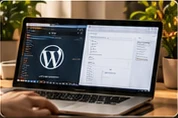
Start with the right brief
Plan wordpress development for your Mumbai business around portfolios, editorial pages & media. Share the offer, audience and customer tasks so the website brief connects the visual experience with the way your team works.
Start by sharing your current website, the audience, the content you can provide and what a customer should be able to do. We can then agree the pages, functionality, review stages and responsibilities for a practical project.
A focused scope
A Mumbai studio or service team can use WordPress to publish project records, service explanations and related editorial content.
A visually led website needs clear image guidance as well as a polished layout.
Know which content your team can edit, how the agreed features work and what ongoing support needs a separate scope.
Design, content and implementation
A Mumbai studio or service team can use WordPress to publish project records, service explanations and related editorial content. We define the fields needed to explain the work, such as the brief, role, images and a public website link where available. Project copy should describe the actual contribution and approved information rather than invent outcomes.
A visually led website needs clear image guidance as well as a polished layout. We review aspect ratios, cropping, alternative text and suitable file sizes with the publishing requirements. Templates are tested using realistic titles and image shapes. The team can then add work through the agreed interface without manually rebuilding the page layout each time.
The implementation plan separates theme code, editable content and any essential integrations. A custom theme can keep layouts focused on the brief, while native publishing tools provide suitable controls for routine updates. Hosting, backups, updates and email delivery have ongoing responsibilities that need an explicit owner. Any required plugins are assessed on their purpose; the work does not promise that every possible business feature can be built without dependencies.
Agree the responsibilities
The scope identifies the templates, content inputs, functionality, review stages and handover. Recurring services and third-party costs are listed separately.
A clear working process
Review existing content, hosting, integrations and publishing tasks.
Agree the content model, templates and editor controls.
Build the agreed website and test representative content.
Check public journeys, explain editing and document support responsibilities.
Explore real website work
Browse a published project record for context on the website work we show, then share the scope and requirements for your own business.
Before we begin
Yes. A project interface can include agreed image, description, category and website-link fields. The website and case-study routes are planned together, with genuine project content supplied or approved by your team.
The publishing interface is planned around the agreed content areas. Routine text, image, article or project updates can use those controls; new layouts or functionality may require development.
Yes. A custom theme can be scoped around the website’s layouts and editing needs. Essential integrations and any dependencies are documented rather than hidden.
The proposal identifies hosting, backup, update and support responsibilities. Ongoing services are agreed separately from the initial build unless explicitly included.
Representative templates, mobile navigation, content, links and agreed forms are checked. Real hosting and mail delivery need verification on the installed website.
Yes. The project can be organised through online briefs, review calls and documented handover. This page describes a service area; it does not claim a local office or an on-site team.
Related planning
Useful reading: A WordPress maintenance checklist for a business website ↗
Apply the brief to the website you have
Bring the current URL, the work you need and the content your team can maintain. Use these questions to make the first review specific.
We work remotely from Delhi and Maharashtra, with the scope, review stages and handover agreed around your website requirements.
Connect the services
Choose a service brief
Bring the website. Start with the brief.
Share the current URL, your main services or products, the audience and the contact or purchase action you want to improve.